Table of Contents
Digital screens are an unavoidable part of daily life. Whether you’re working, browsing the web, gaming, or catching up with friends, screen time is nearly impossible to avoid. But did you know that your screen settings can have a big impact on your eye health?
Excessive screen time can lead to eye strain, fatigue, and even disrupted sleep. It’s important to understand how screen modes (like light mode and dark mode) affect your eyes, so you can make informed decisions to improve your visual comfort.
In this blog, we’ll break down the different screen modes, the impact on your eyes, and offer tips to reduce eye strain and improve comfort during long hours of screen use.
Dark Mode vs. Light Mode
One of the most debated topics when it comes to screen settings is dark mode vs. light mode. While both have their advantages, choosing the right mode depends on your environment, the time of day, and your personal preference.
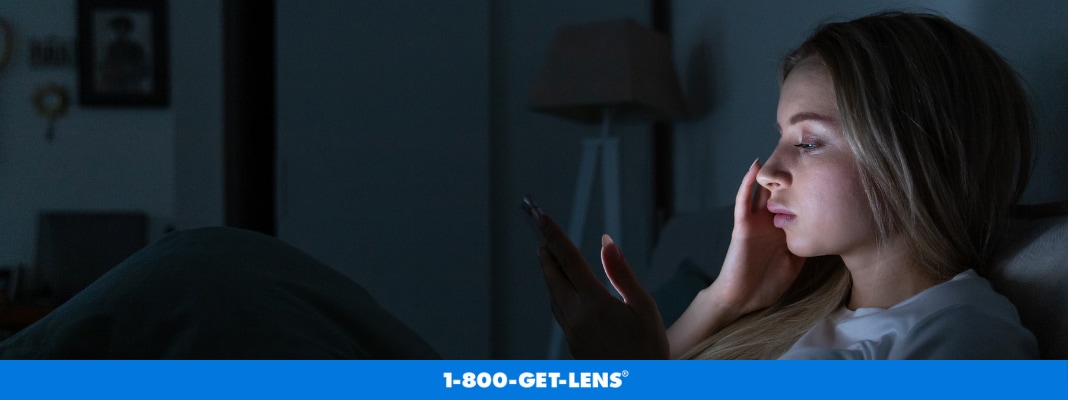
Dark Mode uses light-colored text on a dark background, which helps reduce glare, especially in low-light settings. It’s often seen as an eye-friendly option for those using their devices at night or in dimly lit rooms. The lower contrast in dark mode reduces the strain on your eyes in dark environments, making it easier to focus and reducing the potential for headaches or discomfort.
Dark mode might cause more strain in bright environments. With a darker background, the contrast between the screen and ambient lighting can decrease, making it harder to read or focus for extended periods. In well-lit rooms, light mode might be a better option as it mimics the look of paper and is easier on the eyes during daylight hours.
Light Mode, on the other hand, uses a white or light background with dark text, which is generally better for readability during the day. In bright rooms, light mode’s higher contrast makes text easier to read. It’s great for long hours of reading or work when the lighting around you is bright. However, the higher contrast of light mode in low-light settings can contribute to eye fatigue or difficulty falling asleep.
The key takeaway here is that there’s no “one-size-fits-all” solution. Dark mode works well in dim lighting, and light mode is more effective in bright settings. Experiment with both to see which one feels more comfortable for you, and be mindful of your environment.
Warm vs. Cool Color Modes
In addition to dark mode and light mode, adjusting the warmth of your screen color can help reduce eye strain. Most devices offer the option to switch between warm and cool color modes, and this can have a significant impact on your comfort.
Warm Color Mode (amber hues) is ideal for use at night or in low-light environments. Warmer tones are softer on the eyes and reduce the amount of blue light emitted by the screen. Blue light exposure, especially before bedtime, can interfere with your body’s circadian rhythm—the natural sleep-wake cycle. Warm tones in the evening help minimize this interference, improving your ability to fall asleep after screen time.
Cool Color Mode, which tends to have a more bluish hue, is suitable for daytime use. The cooler tones can make the screen appear sharper and clearer, which can be helpful in bright settings. However, extended exposure to blue light during the day can contribute to digital eye strain, so it’s important to adjust your screen settings as needed to reduce discomfort.
Many devices now have an automatic mode that adjusts the color temperature throughout the day, gradually shifting to warmer tones as the evening approaches. If you haven’t already, consider enabling this feature to reduce eye strain and improve your sleep quality.
The Importance of Adjusting Screen Brightness and Reducing Glare
Another important factor to consider when using digital devices is the brightness of your screen. Excessive brightness, especially in a dim environment, can lead to eye strain and headaches. On the flip side, a screen that is too dim may cause you to squint, leading to fatigue and discomfort.
To find a comfortable balance, adjust the brightness of your screen to match the lighting around you. During the day, you might need to increase the brightness if you’re in a well-lit room. At night, reduce the brightness to match the low-light setting to avoid harsh contrast and glare.
Glare is another issue that can cause significant discomfort. It’s important to position your screen properly to avoid reflections from windows or overhead lighting. If glare continues to be an issue, you can use an anti-glare screen protector to help reduce strain. Many laptops and monitors also come with anti-reflective coatings that help minimize the glare from external light sources.
Proper screen positioning is also key. Your screen should be placed around 20-28 inches away from your eyes, with the top of the screen slightly below eye level to reduce strain.
How to Reduce Eye Strain
When you’re using digital devices for extended periods, taking proactive steps to protect your eyes is essential. Here are a few simple tips to help reduce eye strain and discomfort:
- Follow the 20-20-20 Rule. Every 20 minutes, look at something 20 feet away for at least 20 seconds. This helps your eyes relax and refocus.
- Use Blue Light Blocking Glasses. These glasses are designed to reduce the amount of blue light reaching your eyes, making screen use more comfortable. They can be especially helpful if you spend long hours in front of a screen.
- Take Regular Breaks. Don’t forget to rest your eyes. Take short breaks every hour to prevent fatigue and give your eyes a chance to recover.
- Blink More Often. When staring at a screen, we tend to blink less, which can cause dryness and irritation. Make an effort to blink more often, or use lubricating eye drops to keep your eyes moist.
These habits can reduce the negative effects of prolonged screen use and protect your eye health over the long term.

Is Wearing Blue Light Blocking Glasses Worth It?
You’ve likely heard about blue light blocking glasses and their potential to reduce eye strain caused by prolonged screen time. But are they really effective? The answer varies.
Some studies show that blue light blocking glasses can help reduce discomfort and fatigue for people who spend significant amounts of time in front of digital screens. These glasses work by filtering out some of the blue light emitted by devices, which may reduce strain and improve Other studies suggest that the effect of blue light on eye health isn’t as detrimental as some claim, and the benefit of blue light blocking glasses may be limited to improving comfort rather than providing long-term eye protection.
Blue light glasses can be a good investment if you experience significant eye strain or discomfort. However, they are just one tool in a larger strategy to protect your eyes, which should include proper screen settings, regular breaks, and a good eye care routine.
Choosing the Best Screen Settings for Your Eyes
Finding the best screen settings for your eyes doesn’t have to be difficult. Whether you prefer light mode, dark mode, or a custom balance of color temperature, adjusting your device to suit your environment and needs can make a world of difference in your eye comfort.
Remember, it’s not just about screen settings; your habits and environment also play an important role in reducing digital eye strain. So, make sure to take breaks, adjust your screen properly, and consider adding blue light blocking glasses to your routine if you experience discomfort.
By following these guidelines, you can continue enjoying your digital devices without compromising your eye health.