Table of Contents
You start the day with clear, comfortable contacts. By the middle of the afternoon, your screen looks hazy, small text feels harder to read, and blinking only clears your vision for a moment. That kind of screen discomfort can come from your contacts, tear layer, prescription, desk setup, or wear habits.
The best contact lenses for computer use should match your prescription, eye shape, tear layer, and daily routine. Lens moisture, breathable materials, steady optics, fuller blinking, contact lens-friendly drops, and a comfortable screen setup can all help during long digital tasks.
What to Look for in Computer Contact Lenses
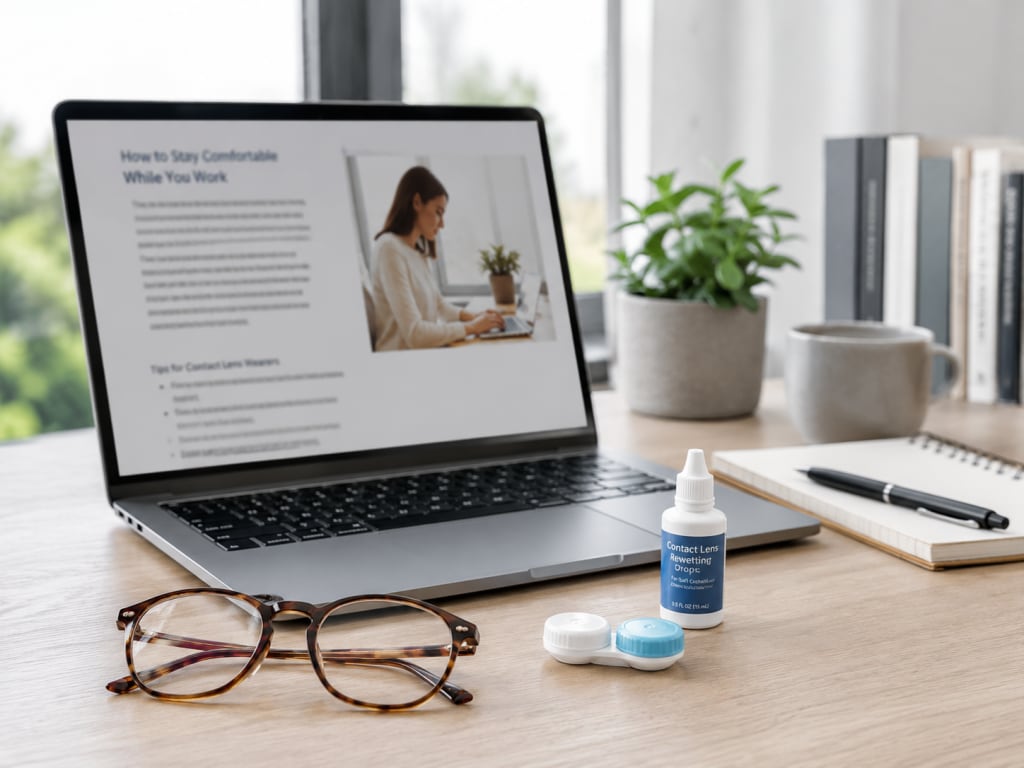
Computer contacts should feel stable, stay moist, and keep vision clear during near and arm’s length work. A lens that feels fine during errands can feel different after hours of emails, spreadsheets, video calls, or online reading.
When comparing lenses for computer use, look beyond product names and focus on how the lenses feel through a normal screen day.
Lens Moisture and Surface Feel
Screen users blink less while focusing. Fewer full blinks can make the tear layer over contacts break up faster, leaving lenses feeling dry or gritty.
A smooth, wettable lens surface can make blinking feel easier during long computer sessions. Daily disposable lenses start with a fresh surface every morning, which can help people who notice late-day blur or buildup. For people who want a daily replacement option, 1-DAY ACUVUE MOIST is one example often considered for screen-heavy routines.
Breathable Lens Materials
Silicone hydrogel contact lenses let significantly more oxygen pass through than traditional hydrogel lenses. Breathability matters for people who wear contacts through long office days, online classes, gaming sessions, or remote work.
Oxygen flow does not replace moisture. A breathable lens can still feel dry when the fit, tear layer, indoor air, or wear time does not match your eyes. If dryness keeps coming back, ask your eye doctor about contacts for dry eyes.
Among monthly replacement lenses, AIR OPTIX plus HydraGlyde is one breathable option to discuss.
Stable Vision for Small Text and Close Work
Computer work needs steady vision at a fixed distance. If letters look doubled, shadowed, or less crisp, your prescription or lens type could need a review.
Toric contact lenses help with astigmatism. Multifocal contact lenses help with age-related near vision changes, especially when you switch between a monitor, phone, and distance viewing.
Blue Light Filtering Contacts and Their Limits
Some contacts are designed to filter parts of visible light, including blue-violet light. People searching for digital eye strain contacts often want lenses that feel better during screen time.
Blue light filtering contacts are not the main answer to screen discomfort. Dryness, reduced blinking, glare, lens fit, and prescription accuracy usually play a bigger role in eye strain from contacts.
Why Contacts Feel Dry or Blurry During Computer Work
Contacts and computer use do not feel the same from morning to evening for every wearer. Screen work keeps your eyes fixed at one distance, which can make small vision or comfort issues easier to notice.
Computer Vision Syndrome, or CVS, has been reported in up to 90 percent of heavy screen users. Symptoms of digital eye fatigue from screen use include dry eyes, blur, tired eyes, headaches, and trouble refocusing after looking away from the screen.
Common reasons contacts feel dry or blurry during computer work include the following.
- Fewer full blinks. A normal blink rate is around 15 to 20 blinks per minute, but screen staring can drop that to about 3 to 5 blinks per minute.
- Dry air from vents, heaters, fans, or low humidity can make contacts dry out faster.
- Glare from windows or bright lights can make your eyes work harder.
- A monitor placed too high can expose more of the eye surface.
- Lens buildup from tears, cosmetics, dust, or care products can affect comfort and clarity.
- Daily disposables reduce protein buildup by giving you a fresh lens each day.
- Prescription or fit changes can make screen text look less sharp.
If blinking clears your vision only briefly, ask your eye doctor to check your lenses and tear layer.
Best Types of Contacts for Computer and Digital Device Users
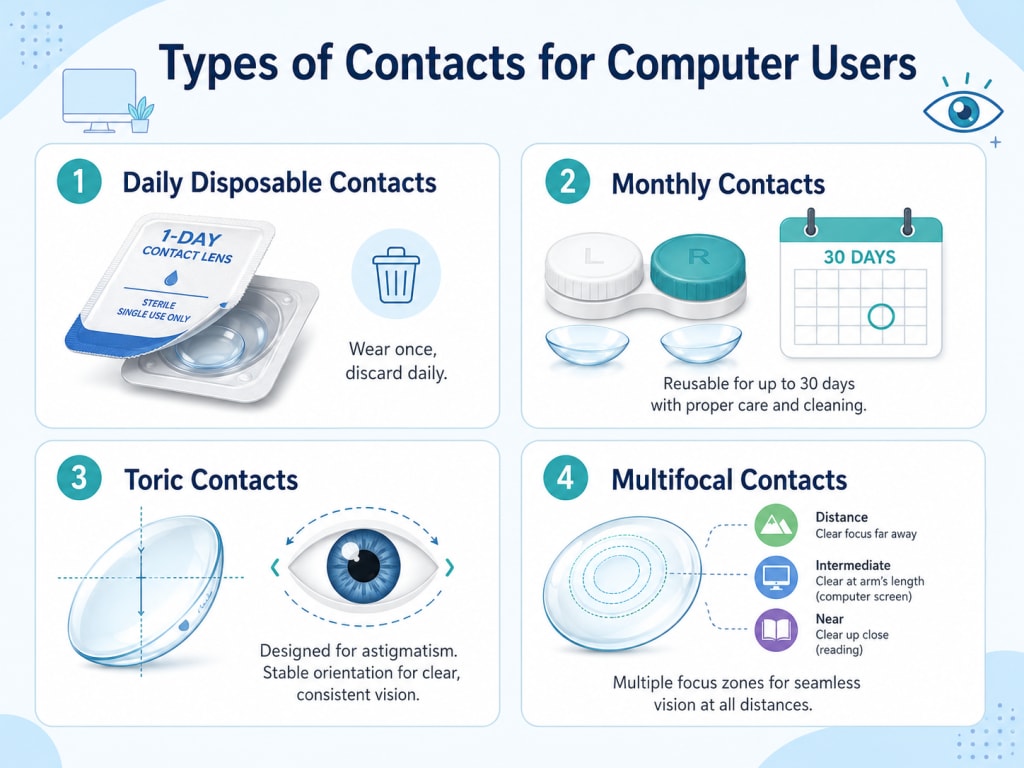
The best contacts for computer use depend on how long you wear lenses, how dry your eyes feel, and what kind of prescription you have.
- Daily disposable contacts give you a clean lens surface each day.
- Daily contact lenses for sensitive eyes are worth discussing if reusable lenses feel uncomfortable later in the day.
- Monthly contact lenses can fit people who prefer reusable lenses and follow careful cleaning habits.
- Toric contacts correct astigmatism, which can blur screen text or make letters look less sharp.
- Multifocal contacts help with distance, intermediate, and near viewing, including monitors and phones.
- Contacts for digital device use focus on screen comfort, tear stability, or easier shifts between screen and non-screen viewing.
People searching for the best daily disposables for long screen use usually want fresh lens comfort, simple care, and steady vision across a full screen routine. Your eye doctor can help compare daily, monthly, toric, multifocal, and digital device-focused contacts based on your eyes.
Contact Lens Options for Screen-Heavy Routines
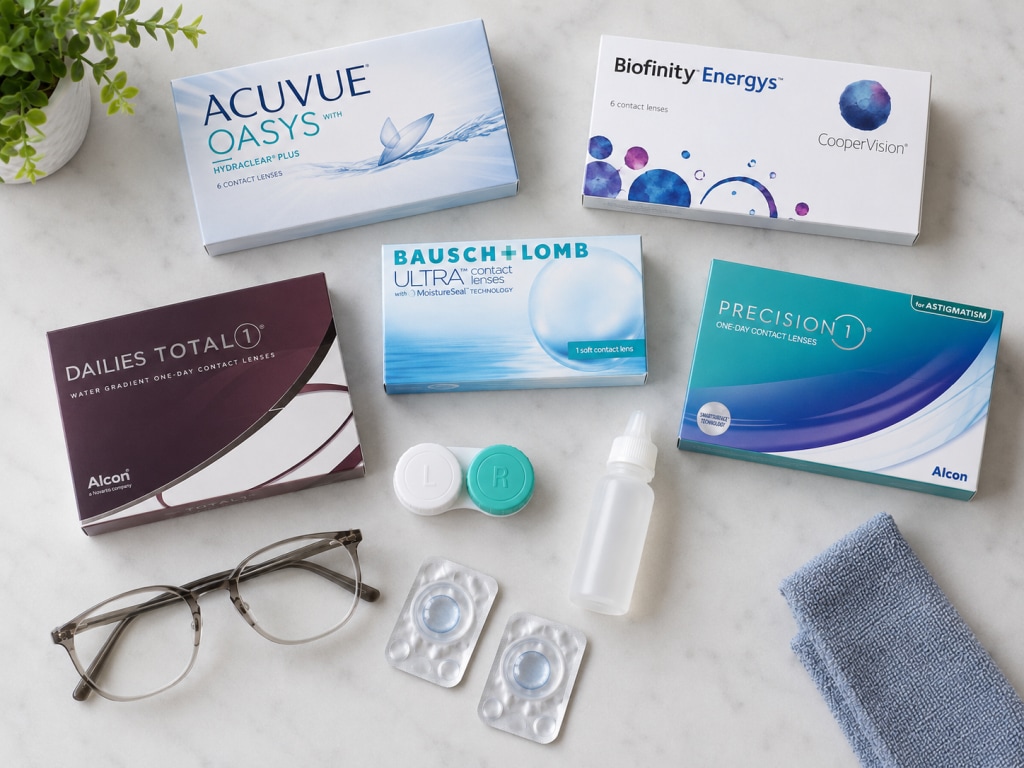
Several contact lens lines are commonly discussed for computer contacts and screen-heavy schedules. ACUVUE OASYS, Biofinity Energys, Bausch + Lomb ULTRA, DAILIES TOTAL1, and PRECISION1 are examples your eye doctor could review with you.
ACUVUE OASYS
ACUVUE OASYS is a reusable line made for comfort in challenging environments, including screen-heavy routines. It also has Class 1 UV blocking, though UV-blocking contacts do not replace sunglasses
Biofinity Energys
Biofinity Energys is a monthly silicone hydrogel lens designed for frequent digital device use. It uses Aquaform Technology and DigitalBoost Technology, which CooperVision describes as helpful for eyes that shift between screens and the rest of the room.
Bausch + Lomb ULTRA
Bausch + Lomb ULTRA uses MoistureSeal Technology and is marketed for long wear and end-of-day vision. It is a monthly option worth discussing if your computer workday runs long.
DAILIES TOTAL1
DAILIES TOTAL1 is a daily disposable lens with Water Gradient Technology. Its surface is designed to feel highly wettable, which can appeal to wearers who prefer a fresh lens each day.
PRECISION1
PRECISION1 is a daily disposable lens with SMARTSURFACE Technology. The lens surface has more than 80 percent water content and is designed for daily wear convenience.
Where to Buy Contacts for Computer Use Online
You can buy contacts for computer use online once your eye doctor gives you a valid lens prescription. Choose the exact lens name, prescription details, and replacement schedule listed on that prescription.
1-800-GET-LENS carries contact lens options used by people with screen-heavy routines, including daily, monthly, toric, multifocal, and digital device-focused lenses. Before ordering, compare your prescription details carefully and ask your eye doctor about dryness, blur, or screen-related discomfort that keeps coming back.
Daily vs Monthly Contacts for Screen Time
Dailies and monthlies can both work for screen-heavy routines. The right choice depends on comfort, cost, care habits, dryness, and your eye doctor’s fitting results.
- Daily contacts fit well if you want fresh lenses every morning.
- Daily lenses can help if reusable lenses feel dry or collect buildup.
- Monthly contacts can fit full-time wearers with steady cleaning habits.
- Monthly lenses can give your eye doctor more choices for certain prescriptions.
- Daily disposables could fit better if you forget cleaning steps or stretch your replacement schedule.
- Track when dryness, blur, or eye strain from contacts begins. That timing can help your eye doctor narrow the lens type, material, or wearing schedule.
Glasses vs Contacts for Computer Work
Glasses and contacts each have strengths for computer work. Contacts give a wide field of view and do not slide, fog, or reflect screen glare from lenses in front of the eyes.
Computer glasses can help when your eyes need correction tuned for desk distance. Some people wear computer glasses over contacts when contacts correct distance vision and glasses add desk distance correction or glare reduction.
Blue light filtering eyewear filters certain visible light and can make bright screens or indoor lighting feel less harsh for some wearers. It is not a standalone fix for screen discomfort, so blinking, lighting, screen distance, and lens fit still matter.
Smart Contact Lens Habits for Screen-Heavy Days

Small habits can make screen days easier on contact wearers.
- Use short breaks to reduce digital eye strain. Every 20 minutes, look at something 20 feet away for 20 seconds, then return to your screen with a few full blinks.
- Use only rewetting drops labeled for contact lenses while they are in your eyes.
- Ask your eye doctor about relieving dry eyes, lens material, or shorter wear time if you need drops repeatedly.
- Place your screen slightly below eye level and about an arm’s length away.
- Reduce glare from windows and bright overhead lights.
- Increase text size instead of leaning forward.
- Keep backup glasses nearby.
- Remove your contacts if your eyes feel red, sore, gritty, or light sensitive.
- Seek care for pain, strong redness, discharge, or vision changes.
FAQs About Contacts for Screen Time
What are the best contacts for computer screen time?
The best contacts for computer screen time are those that fit your prescription, eye surface, tear film, and workday. Daily disposables, silicone hydrogel lenses, toric lenses, and multifocals are common options to discuss with your eye doctor.
Why do my contacts get blurry when I use a computer?
Contacts can get blurry at a computer when the tear layer dries out, deposits build up, or your prescription needs updating. Blur that clears after blinking usually points to dryness, while blur that persists needs an eye exam.
Are daily contacts better for computer users?
Daily contacts can work well for computer users who dislike deposits, cleaning routines, or late-day dryness. A fresh lens each day can feel smoother during long screen sessions.
Are there contacts made for digital device use?
Yes, some contacts are designed with digital device users in mind. Biofinity Energys is one example, but your eye doctor should confirm whether that type of lens suits your eyes.
Should I wear computer glasses over my contacts?
Computer glasses over contacts can work for people who need extra help at desk distance or glare reduction. Your eye doctor can tell you whether this setup fits your prescription.
Do blue light contacts help with screen discomfort?
Blue light contacts filter certain parts of visible light, but they are not the main fix for screen discomfort. Blinking, tear quality, screen distance, glare control, and accurate correction still matter more for comfort.
Disclaimer: This content is for general information only and is not meant to replace professional medical advice, diagnosis, or treatment.
References
- ACUVUE OASYS with HYDRACLEAR PLUS Technology. https://www.jnjvisionpro.com/en-us/products/acuvue-oasys-2-week/. Accessed June 17, 2026.
- Bausch + Lomb ULTRA Monthly Contact Lenses. https://www.bausch.com/products/contact-lenses/monthly-contact-lenses/. Accessed June 17, 2026.
- Biofinity Energys. https://coopervision.com/contact-lenses/biofinity-energys. Accessed June 17, 2026.
- Computer Vision Syndrome. https://www.aoa.org/healthy-eyes/eye-and-vision-conditions/computer-vision-syndrome. Accessed June 17, 2026.
- Computers, Digital Devices, and Eye Strain. https://www.aao.org/eye-health/tips-prevention/computer-usage. Accessed June 17, 2026.
- DAILIES TOTAL1 Daily Contact Lenses. https://total.myalcon.com/products/dailies-total1/. Accessed June 17, 2026.
- Digital Devices and Your Eyes. https://www.aao.org/eye-health/tips-prevention/digital-devices-your-eyes. Accessed June 17, 2026.
- PRECISION1 Contact Lenses. https://www.myalcon.com/professional/contact-lenses/daily/precision1/. Accessed June 17, 2026.
- Preventing Eye Infections When Wearing Contacts. https://www.cdc.gov/contact-lenses/prevention/index.html. Accessed June 17, 2026.
- Silicone Hydrogel Versus Hydrogel Soft Contact Lenses for Differences in Patient-Reported Eye Comfort and Safety. https://pmc.ncbi.nlm.nih.gov/articles/PMC8110199/. Accessed June 17, 2026.
Related Articles
-

Everything You Need to Know about Presbyopia: Symptoms, Causes & Treatment
-

ACUVUE OASYS 1-DAY vs ACUVUE OASYS MAX 1-Day: Which Is Better?
-

What Is a Cataract? Causes, Signs & Treatment Options
-

What Are Polarized Sunglasses? Benefits, How They Work & More
-
Top 10 FAQs About Astigmatism: Everything You Need to Know